
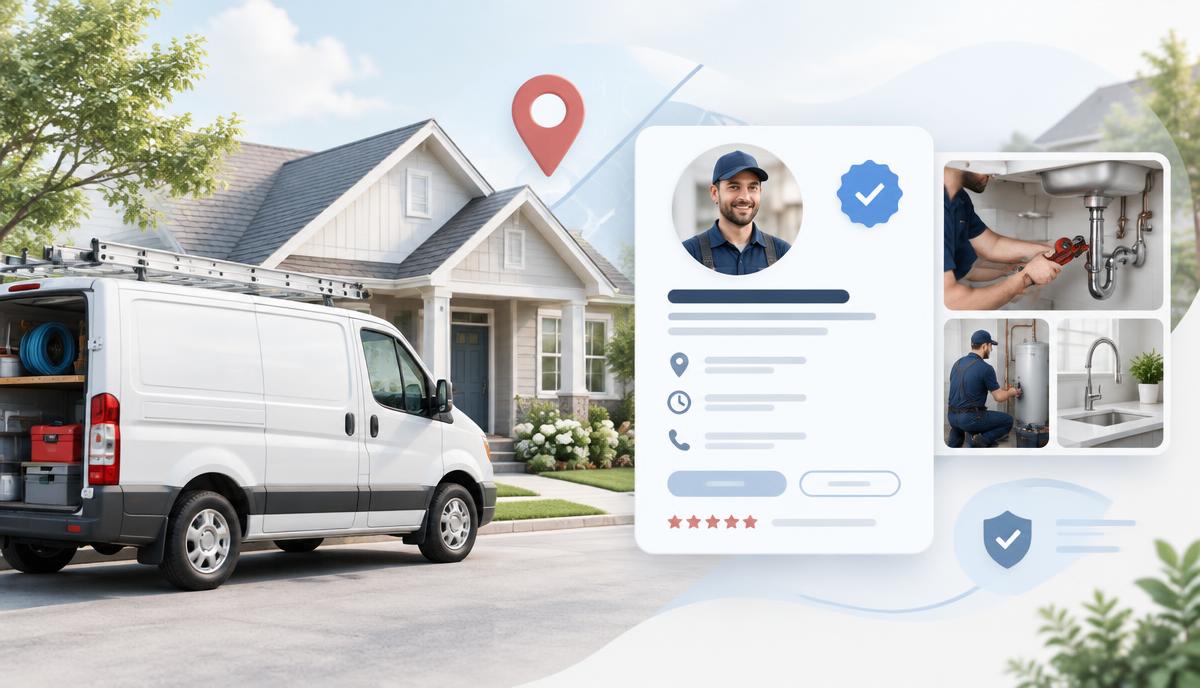
For service industry businesses, a properly built and verified Google Business Profile is one of the most important SEO assets you will ever own. It directly affects whether you show up in local map results, how much trust Google places in your business, and whether potential customers even believe you’re legitimate.
Unlike storefront businesses, service-based companies face additional restrictions and verification hurdles—especially around addresses, service areas, and visibility. Cutting corners here doesn’t just hurt rankings; it can lead to suspensions or permanent loss of the listing.
This guide walks through every verified, documented best practice for creating, verifying, and completing a Google Business Profile for service industry businesses—without speculation, shortcuts, or risky tactics.
What Google Business Profiles Actually Do for SEO
A Google Business Profile (GBP) is not just a directory listing. It is:
A local authority signal for Google’s map and local pack rankings
A trust validation layer tied to real-world business operations
A conversion asset (calls, messages, directions, website clicks)
A data source for Google’s understanding of your services, locations, and legitimacy
For service businesses, Google evaluates real-world service delivery, not foot traffic.
Service Area Business vs. Physical Location (This Matters)
Before creating your profile, you must correctly identify your business model.
Service Area Business (SAB)
You travel to customers:
Plumbers
HVAC companies
Electricians
Roofers
Cleaning companies
Mobile services
Home-based contractors
Key Rule:You do not display your address publicly unless customers are allowed to visit during stated business hours.
Physical Location Business
Customers visit you:
Offices open to the public
Walk-in service locations
Retail or hybrid models
If customers cannot visit your location, your address must be hidden.
Misclassifying this is one of the top reasons for suspensions.
Step 1: Create the Profile Correctly
Create your profile directly through Google Business Profile Manager.
Business Name (Critical)
Use your real-world business name only:
No keywords
No locations
No taglines
No services added
✔️ Correct:ABC Plumbing
❌ Incorrect:ABC Plumbing | Emergency Plumber Salt Lake City
Your business name must match:
Legal documents
Invoices
Insurance
Website branding
Signage (if applicable)
Step 2: Choose the Right Primary Category
Your primary category is one of the strongest ranking factors.
Choose the category that most accurately describes your core service, not everything you offer.
Examples:
Plumber
HVAC contractor
Electrician
House cleaning service
Roofing contractor
Add secondary categories sparingly and only if they represent real, offered services.
Step 3: Set Service Areas (Properly)
Service areas:
Are cities, counties, or regions
Should reflect where you actually do business
Should not be stuffed with dozens of locations
Best practice:
5–15 realistic service areas
Nearby, logical geography
No fake coverage
Do not:
Add cities you don’t serve
Add entire states unless you truly operate statewide
Attempt to “rank everywhere” using service areas
Step 4: Address Rules (No Guessing Allowed)
If you are a service area business:
Hide your address
Do not use:
Virtual offices
UPS stores
Co-working spaces without staffed hours
Mailboxes
Shared spaces you don’t operate from
If customers can visit you, you must:
Staff the location during posted hours
Have signage
Be prepared to prove it during verification
Step 5: Verification (What to Expect)
Service businesses are commonly required to complete video verification.
Typical requirements include:
Showing branded work vehicles
Showing tools or equipment
Showing business signage (vehicle, clothing, office if applicable)
Demonstrating access to the service area
Showing your work environment (garage, shop, office)
Google may also request:
Business documentation
Utility bills
Insurance
Licensing
Failing verification usually means the business setup is incorrect, not that Google is being unreasonable.
Step 6: Complete Every Section (Fully)
A “verified” profile is not an optimized profile.
You must complete:
Business Description
Clear, factual explanation of services
No promotional language
No phone numbers or URLs
Written for humans and clarity
Services
Add every real service you offer
Use Google’s predefined services when available
Add custom services only when necessary
Hours
Accurate, consistent
Include holiday hours
Reflect when you actually answer calls or work
Photos
Branded vehicles
Team (real people)
Equipment
Work environments
Before/after (where allowed)
Real photos increase trust and reduce suspensions.
Step 7: Reviews (Handled Correctly)
Reviews influence:
Click-through rate
Conversions
Local trust signals
Best practices:
Ask real customers
Respond to every review
Stay professional
Never incentivize reviews
Never gate reviews
Fake or manipulated reviews can lead to profile removal.
Step 8: Ongoing SEO & Profile Maintenance
Your Google Business Profile must stay active:
Regular photo uploads
Service updates when offerings change
Accurate hours
Consistent NAP (Name, Address, Phone) across the web
Website content aligned with services and service areas
Google evaluates consistency over time, not just setup.
Common Mistakes That Hurt Service Businesses
Using a fake address
Leaving the address visible when customers don’t visit
Keyword-stuffing the business name
Adding excessive service areas
Ignoring verification instructions
Treating GBP as “set it and forget it”
The Bigger Picture: GBP + Website + Authority
A Google Business Profile does not rank on its own.
It must align with:
A properly optimized website
Service-specific pages
Local authority signals
Consistent citations
Real-world business proof
When all of these work together, service businesses can compete—and win—without violating guidelines.
Final Thought
For service industry businesses, Google Business Profiles are earned, not gamed.
When built correctly:
They rank
They convert
They last
When shortcuts are taken:
They get suspended
They disappear
They cost you time and revenue
At Utah SEO Experts, we build Google Business Profiles the right way, because long-term visibility matters more than short-term tricks.