Updated July 16, 2026
For many local businesses, a Google Business Profile is the first—and sometimes only—part of the business a potential customer sees before deciding whether to call, visit, request directions, schedule an appointment or continue comparing options.
That makes your Google Business Profile one of your most important local marketing assets.
But it is not a replacement for your website.
Your Business Profile helps you appear in Google Search and Google Maps. Your website gives customers the detailed information, proof, service depth and conversion path they need to make a confident decision. The strongest local businesses connect both through a complete local SEO strategy.
This guide explains how to properly set up, verify, optimize and maintain a Google Business Profile for:
- Storefront businesses
- Service-area businesses
- Hybrid businesses
- Professional practices
- Restaurants and hospitality businesses
- Retail stores
- Contractors and home-service companies
- Healthcare, dental and wellness providers
- Multi-location companies
- Individual practitioners and eligible departments
It also separates what Google officially says influences local rankings from tactics that primarily improve customer experience and conversion.
What Is a Google Business Profile?
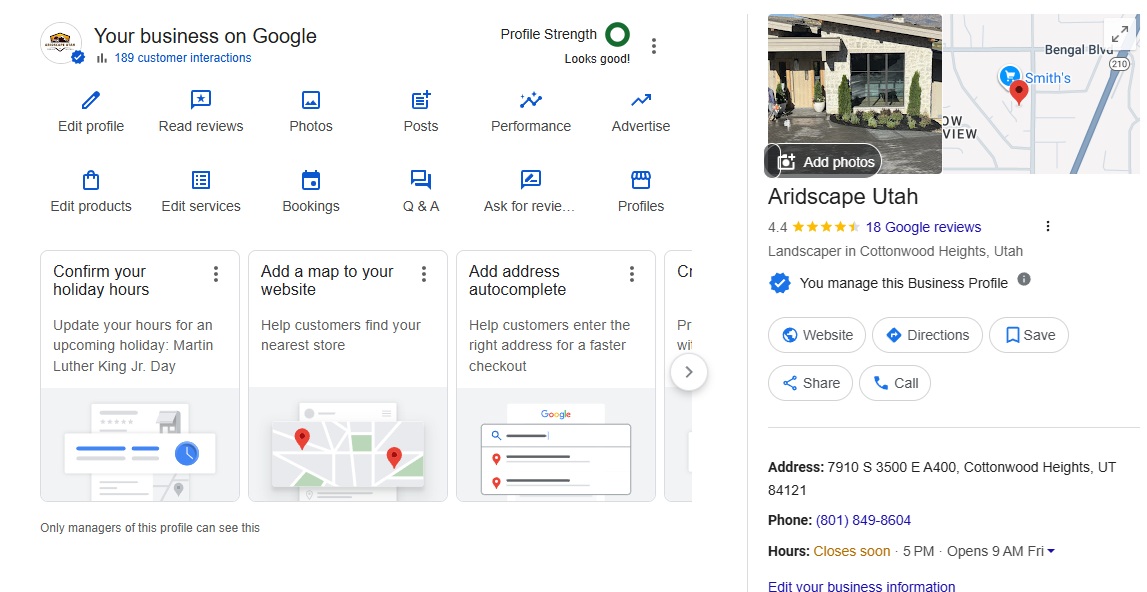
A Google Business Profile is the business information panel that can appear in Google Search and Google Maps.
Depending on the business category and available features, a profile may display:
- Business name
- Primary and secondary categories
- Address or service area
- Phone number
- Website
- Hours
- Services
- Products
- Menu items
- Photos and videos
- Reviews
- Appointment or ordering links
- Business attributes
- Updates, offers and events
- Questions and answers
- Directions and contact options
A complete profile gives Google more accurate information about the business while giving customers more reasons to choose it.
A profile alone, however, does not guarantee prominent rankings.
Google evaluates the business, its location, its relevance to the search, its reputation and information about the business found across the wider web.
How Google Ranks Local Businesses
According to Google’s official local-ranking guidance, local results are mainly based on relevance, distance and prominence.
Relevance
Relevance is how closely the business matches what someone is searching for.
Google may use information such as:
- Business category
- Business description
- Services
- Products
- Website content
- Business attributes
- Information Google has collected from other sources
A complete profile does not allow you to rank for every vaguely related service. It helps Google more accurately understand what the business actually does.
Distance
Distance refers to how far the business is from the person searching or from the location named in the search.
You cannot optimize your way around physical proximity.
A business located in St. George will not consistently appear as the nearest option for someone searching from Salt Lake City simply because it adds Salt Lake City to its description or service areas.
Service areas also do not create new physical locations or make a business locally proximate to every city it selects.
Prominence
Prominence reflects how established and well-known the business appears to be.
Google states that prominence can be influenced by information such as:
- Links from other websites
- Articles and mentions
- Reviews
- Review ratings
- The business’s presence in organic search results
This is why Google Business Profile optimization should not be isolated from website SEO, digital public relations, reputation management, local links and broader brand authority.
Google Business Profile Is Not a Separate Marketing Channel
One of the biggest local SEO mistakes is treating the profile, website and business reputation as unrelated assets.
They reinforce one another.
Your profile tells Google and customers what the business is, where it operates and how to contact it.
Your website explains:
- What each service includes
- Who the business serves
- Why the business is qualified
- What makes it different
- Which locations it serves
- What results it has produced
- What the customer should do next
Reviews, local links, industry mentions, associations, citations and press coverage help establish that the business is real, active and recognized.
A strong local presence is therefore built from the profile, website and off-site reputation working together.
Determine Which Type of Business You Operate
Before entering an address or service area, determine which profile type accurately represents the business.
Google’s guidelines for representing a business distinguish between storefront, service-area and hybrid businesses.
Storefront Business
A storefront business receives customers at its physical location during its stated customer-facing hours.
Examples include:
- Restaurants
- Retail stores
- Dental offices
- Medical clinics
- Salons
- Gyms
- Auto repair shops
- Law offices
- Accounting firms
- Hotels
- Entertainment venues
A storefront business can normally display its address.
Businesses displaying an address should have permanent fixed signage and must be able to receive customers at that location during the posted hours.
Service-Area Business
A service-area business travels to or delivers to customers rather than serving them at its business address.
Examples include:
- Plumbers
- Electricians
- Mobile locksmiths
- Cleaning companies
- Pest-control companies
- Mobile detailers
- Landscapers
- Certain delivery businesses
- Home-based contractors
A genuine service-area business should hide its address from customers and list the cities, postal codes or areas it actually serves.
Hiding the address does not remove the business’s underlying location from Google’s local-ranking calculations.
Hybrid Business
A hybrid business both receives customers at its location and travels to or delivers to customers.
Examples include:
- A restaurant that also delivers
- An auto repair shop that provides roadside assistance
- A flooring showroom that also performs installations
- A retail store offering local delivery
- A contractor with a staffed showroom customers can visit
A qualifying hybrid business may display its address and add appropriate service areas.
The location must still be staffed by the company and able to receive customers during its stated hours.
Multi-Location Business
A company may have a separate Business Profile for each legitimate operating location when each location:
- Is a real operating location
- Has its own staff
- Serves customers from that location
- Meets Google’s eligibility requirements
- Uses accurate location-specific information
Renting several mailing addresses does not create several legitimate locations.
Individual Practitioners and Departments
Google has additional rules for individual practitioners and eligible departments.
Doctors, dentists, attorneys, real estate agents and other public-facing professionals may sometimes qualify for individual profiles. Departments within hospitals, universities, retailers and other large organizations may also qualify when they operate as distinct public-facing entities.
Do not automatically create a separate profile for every employee, provider or service line. Review Google’s current practitioner and department guidelines first.
Virtual Offices, Shared Offices and Coworking Locations
A virtual mailing address is not eligible for a Google Business Profile when the business does not genuinely operate there.
A business located in a coworking facility generally must:
- Maintain clear permanent business signage
- Receive customers at the location
- Be staffed during its stated hours
- Be staffed by the business’s own personnel
A receptionist employed by the coworking company does not necessarily establish that your company operates a staffed office there.
Using an ineligible office may produce a temporary ranking benefit, but it also creates a serious verification and suspension risk.
Build local visibility around a legitimate location rather than attempting to manufacture proximity.
Use a Business-Controlled Google Account
The business should retain long-term ownership of its profile.
Do not make a departing receptionist, former employee, outside agency or unrelated personal account the only owner.
A better setup is:
- Use a permanent business-controlled Google account as the primary owner.
- Add the owner or appropriate leadership accounts.
- Add employees and outside marketing providers as managers or additional owners when necessary.
- Require each user to access the profile through an individual Google account.
- Remove access when an employee or provider no longer needs it.
Never solve access management by sharing one password with multiple people.
Google provides separate owner and manager permissions so the business can control access without giving away account credentials.
Enter the Real Business Name
The Business Profile name should match the name customers encounter in the real world.
That includes the name used on:
- Permanent signage
- Website
- Invoices
- Business cards
- Licensing documents
- Branded materials
- Other public business references
Do not add cities, services, slogans or promotional language unless they are genuinely part of the established business name.
For example, a company named Summit Dental should not enter:
Summit Dental — Best Emergency Dentist and Dental Implants in St. George
Keyword additions can sometimes create a short-term advantage, but they violate Google’s guidelines when they are not part of the real business name. They can also trigger user edits, reverification or suspension.
Put services, locations and attributes in the fields designed for those details.
Select the Right Primary Category
Your primary category is one of the clearest ways to tell Google what the business primarily is.
Select the most specific category that accurately represents the company’s central business model.
Examples include:
- Mexican restaurant rather than simply restaurant
- Cosmetic dentist when cosmetic dentistry truly represents the primary practice
- Roofing contractor rather than contractor
- Gun shop rather than sporting goods store when the business is primarily a firearm retailer
- Personal injury attorney rather than attorney when that is the principal area of practice
Do not select a category merely because you want traffic from searches related to it.
Google recommends using the fewest number of categories needed to describe the overall core business.
Secondary Categories
Secondary categories can represent additional major parts of the business.
A dental practice, for example, may use an appropriate primary category along with relevant secondary categories for services it genuinely provides.
Avoid adding every remotely applicable category. Excessive or inaccurate category selections make the profile less precise and may introduce compliance problems.
Review categories periodically because Google can add, remove or rename available categories.
Enter an Accurate Address and Map Pin
For a storefront or qualifying hybrid business:
- Enter the complete physical address.
- Include the correct suite or unit number.
- Place the map pin at the actual customer entrance when possible.
- Confirm that driving directions lead customers to the right place.
- Use the same standardized address on the website and major business directories.
Do not insert keywords, landmarks, directions or promotional wording into the address fields.
For a service-area business:
- Enter the actual operating address during setup or verification.
- Hide it from public display when customers are not served there.
- Add accurate service areas separately.
Choose Service Areas Carefully
Google currently allows businesses to select service areas using cities, postal codes and other defined areas.
Service areas should reflect where the business genuinely provides in-person services or delivery.
They do not:
- Create physical offices
- Guarantee rankings in those cities
- Override proximity
- Replace localized website content
- Give a business permission to create duplicate profiles
Avoid selecting an entire state when the company realistically serves only a few nearby cities.
For businesses with broad coverage, choose the most important and accurate areas rather than using the service-area field as a keyword list.
Set Accurate Customer-Facing Hours
Your hours should reflect when customers can actually interact with the business.
For a storefront, that normally means the hours customers can enter or receive service.
For a service-area business, it generally means the hours during which the business is available to serve customers.
Use:
- Regular hours
- Special holiday hours
- Seasonal hours
- More-hours categories when appropriate
- Temporary closure settings when necessary
Do not list the business as open 24 hours merely because it accepts voicemail, website forms or online bookings at all times.
Inaccurate hours create frustrated customers, negative reviews and potential profile edits.
Write a Useful Business Description
Google allows a business description of up to 750 characters.
The description should clearly explain:
- What the company does
- Who it serves
- Where it operates
- Its primary specialties
- Meaningful differentiators
- How long it has operated
- Helpful background customers should know
Avoid turning the description into a repetitive keyword list.
Also avoid:
- Promotional offers
- Excessive capitalization
- Misleading claims
- Unsupported superlatives
- URLs
- HTML
- Lists of every nearby city
Example Business Description
Summit Dental is a locally owned dental practice serving St. George and surrounding Washington County communities. Our dentists provide preventive care, restorative dentistry, dental implants, cosmetic dentistry and emergency dental treatment for adults and families. The practice combines modern dental technology with clear treatment explanations and a patient-focused environment.
This description explains the business naturally without forcing the same keywords into every sentence.
Add Complete Contact and Conversion Information
Make it easy for customers to take the next step.
Depending on the profile and category, this may include:
- Primary phone number
- Website
- Appointment link
- Reservation link
- Online ordering
- Menu
- Product catalog
- Quote-request link
- Location-specific landing page
Use a phone number controlled by the business.
For multi-location companies, use the most appropriate location-specific phone number and landing page whenever practical.
Website and appointment links should lead directly to the business or location represented by the profile—not to a generic lead-generation page that redirects customers to unrelated providers.
Add Services
Businesses in eligible categories can add predefined and custom services, along with descriptions and pricing information.
Google’s service-management feature allows businesses to add details that help customers understand what is offered.
Potential service entries include:
Dental Practice
- Dental implants
- Emergency dentistry
- Teeth whitening
- Dental crowns
- Invisalign treatment
- Preventive dental care
Contractor
- Roof replacement
- Roof repair
- Commercial roofing
- Storm-damage inspection
- Metal roofing
- Emergency roof tarping
Law Firm
- Personal injury representation
- Car accident claims
- Estate planning
- Probate representation
- Business formation
- Contract review
Services should accurately reflect real offerings.
Adding a service does not guarantee rankings for that phrase, but it makes the profile more complete and gives Google and potential customers clearer information.
Use Products, Menus and Industry Features
Available features vary by category.
Restaurants
Restaurants should review:
- Menu information
- Food and drink photos
- Ordering links
- Reservation links
- Takeout and delivery options
- Dining attributes
- Special hours
Keep menu items, pricing and availability accurate across Google, the restaurant website and ordering platforms.
Retail Stores
Eligible retailers can showcase:
- In-store products
- Product categories
- Prices
- Product photos
- Availability
- Shopping and inventory information
Focus on actual products rather than filling the profile with generic keyword entries.
Healthcare and Professional Practices
Practices should add relevant services, appointment options, accessibility information and accurate provider or department details.
Protect patient and client privacy in photos, posts, reviews and public responses.
Hotels and Hospitality Businesses
Hotels have category-specific features and data sources that differ from ordinary storefront profiles. Review room, amenity, booking and property information for accuracy across Google and major travel platforms.
Use Photos to Help Customers Understand the Business
Google recommends adding photos and videos to make a profile more helpful and attractive to customers.
Useful photo categories include:
- Exterior and entrance
- Interior
- Team members
- Products
- Equipment
- Completed work
- Service environment
- Food and drinks
- Parking and accessibility
- Recognizable landmarks near the entrance
Storefront businesses should have clear exterior photos that help first-time visitors recognize the location.
Service businesses can show:
- Branded vehicles
- Uniformed team members
- Equipment
- Completed projects
- Work in progress
- Warehouse or operational areas
- Before-and-after examples when appropriate
Medical, legal and sensitive-service businesses should obtain appropriate permissions and avoid exposing private customer information.
There is no universal requirement to upload a photo every week. Add new, high-quality media whenever it gives customers useful and current information.
Freshness is valuable when it represents real business activity—not when the same generic stock photo is uploaded repeatedly.
Use Google Posts for Communication, Not as a Ranking Trick
Google Posts can be used for:
- Business updates
- Offers
- Events
- New services
- Seasonal information
- Product announcements
- Closures or operational changes
- Educational resources
Posts can improve the customer experience and create additional conversion opportunities.
Google does not state that posting every week automatically increases rankings.
Publish when the business has something useful to communicate. Include a clear image, concise message and appropriate action button.
A good post should help a customer, not exist solely to make the profile appear active.
Monitor Questions and Answers
Questions and answers can affect how customers perceive the business.
Monitor the profile for questions about:
- Pricing
- Availability
- Accessibility
- Insurance
- Appointments
- Parking
- Delivery
- Age requirements
- Service areas
- Product availability
Answer accurately and professionally.
Do not treat the Q&A section as a place to publish repetitive keyword content or artificial customer conversations.
Important questions should also be answered on the website, where the business has greater control over accuracy, formatting and future updates.
Build a Legitimate Review System
Reviews affect trust, conversions and local prominence.
Google specifically states that more reviews and positive ratings can help local ranking. That does not mean the business should pursue reviews through manipulation.
Create a consistent process for asking real customers to share honest feedback.
This may include:
- A direct Google review link
- Follow-up email
- Text message after service
- Printed card
- Invoice or receipt message
- QR code at checkout
- Post-appointment request
Ask all appropriate customers—not only customers you believe will leave five stars.
Never Offer Review Incentives
Google prohibits offering discounts, free products, entries, payments or other benefits in exchange for reviews.
Do not offer:
- A discount for leaving a review
- A gift card for a five-star rating
- A free product for posting feedback
- A contest entry for reviewing the business
- A refund in exchange for deleting criticism
Reviews should reflect genuine customer experiences.
Google’s review guidelines explicitly prohibit incentivized reviews.
Respond to Reviews Professionally
Responses show customers that the business reads and values feedback.
For positive reviews:
- Thank the customer
- Reference the experience naturally
- Keep the response personal
- Avoid inserting excessive keywords
For negative reviews:
- Remain calm
- Avoid discussing private details
- Acknowledge the concern
- Offer an appropriate offline resolution path
- Do not threaten or insult the reviewer
Review responses may help the business stand out, but they should not be presented as a guaranteed ranking tactic.
Connect the Profile to a Strong Website
Google states that prominence is influenced partly by links and the business’s presence in web results.
That means website quality and authority matter to local search.
A strong local business website should include:
- A clear service architecture
- Detailed service pages
- Accurate location information
- Original business photos
- Team and provider information
- Credentials and professional associations
- Reviews and testimonials
- Case studies or project examples
- Clear contact information
- Fast mobile performance
- Accessible design
- Appropriate structured data
- Helpful answers to customer questions
- Strong calls to action
A thin website with a homepage, contact page and several hundred words of generic content limits what customers and search systems can learn about the business.
Utah SEO Experts provides complete Utah SEO services that connect Google Business Profile optimization with technical SEO, content, local pages, authority development and conversion strategy.
When the website itself is the limiting factor, professional web design built around SEO can be more valuable than continuing to make minor profile edits.
Create Service and Location Pages Carefully
Businesses serving multiple services or markets may need dedicated website pages.
Examples include:
/roof-repair//roof-replacement//commercial-roofing//locations/st-george//locations/salt-lake-city/
Each page should provide distinct value.
Avoid generating dozens of nearly identical city pages with only the place name changed.
A useful location page can include:
- Services offered in that market
- Local projects or experience
- Location-specific customer concerns
- Relevant regulations or conditions
- Original photos
- Local testimonials
- Service boundaries
- Contact information
- Nearby areas genuinely served
The objective is to document real experience and relevance—not to manufacture hundreds of doorway pages.
Keep Business Information Consistent Across the Web
The business name, address, phone number, website and operating details should be reasonably consistent across authoritative sources.
Important sources may include:
- Business website
- Google Business Profile
- Apple Business Connect
- Bing Places
- Major industry directories
- Professional associations
- Chamber of commerce
- State licensing databases
- Social media profiles
- Important local directories
Minor formatting differences generally matter less than conflicting identity information.
Problems arise when the web contains several old addresses, disconnected phone numbers, duplicate profiles or conflicting business names.
Correct important sources first rather than purchasing hundreds of low-quality directory submissions.
Earn Relevant Local and Industry Authority
Because Google considers links and broader web information when evaluating prominence, local authority development should be part of the strategy.
Potential opportunities include:
- Local news coverage
- Industry publications
- Chambers of commerce
- Professional associations
- Community partnerships
- Supplier or manufacturer directories
- Sponsorships
- Educational resources
- Local event participation
- Business partnerships
- Digital public relations
- Useful original research
- Expert commentary
The objective is not to acquire the highest possible number of links.
A smaller number of credible, relevant links and mentions can be more meaningful than a large collection of unrelated directory links.
Google Business Profiles and AI Search
Customers increasingly use Google AI Overviews, AI Mode, ChatGPT, Gemini and Perplexity to compare local businesses and ask detailed questions.
A Google Business Profile can contribute to the wider collection of information available about a local business, but it should not be treated as a complete AI visibility strategy.
AI systems may evaluate information across:
- Business websites
- Google Maps
- Directories
- Reviews
- News coverage
- Industry websites
- Social profiles
- Structured data
- Third-party references
- Other trusted sources
Keep core facts consistent:
- Business name
- Services
- Locations
- Leadership
- Credentials
- Specialties
- Contact information
- Operating history
Our AI search optimization services focus on making businesses easier for traditional search engines and AI systems to identify, understand and cite.
No company can guarantee that an AI platform will recommend a specific business. The goal is to improve the accuracy, consistency, authority and accessibility of the information those systems may use.
Verification and Video Verification
Google determines which verification methods are available to each business.
Possible methods may include:
- Video recording
- Live video
- Phone
- Text
- Other verification methods selected by Google
Video verification has become common.
Google’s video-verification instructions may require the business to demonstrate:
- The surrounding location
- Exterior signage
- The entrance
- Interior operating space
- Equipment
- Products or inventory
- Branded vehicles
- Business documents
- Access to employee-only areas
- Proof that the person recording is authorized to manage the business
Follow the prompts shown in the account. The required evidence can vary by business type.
Storefront Verification
A storefront may need to show:
- Street and surrounding businesses
- Permanent business signage
- Customer entrance
- Interior
- Point-of-sale equipment
- Inventory or service equipment
- Staff-only access
Service-Area Verification
A service business may need to show:
- Tools and equipment
- Branded vehicle
- Uniforms
- Invoices or business documentation
- Operational workspace
- Proof of management
- Evidence of the service being offered
Do not fabricate signage, stage a temporary office or record from an address where the business does not operate.
Common Causes of Profile Problems and Suspensions
Frequent problems include:
- Keyword stuffing the business name
- Using an ineligible virtual address
- Displaying a home address where customers are not served
- Creating duplicate profiles
- Creating profiles for nonexistent locations
- Using inaccurate categories
- Listing false hours
- Creating practitioner profiles that do not qualify
- Using disconnected phone numbers
- Making misleading claims
- Purchasing reviews
- Offering review incentives
- Repeatedly making questionable location changes
- Losing control of the primary owner account
- Violating category-specific policies
Google may request reverification even when the business was previously verified.
Maintain records that can demonstrate legitimacy, including:
- Business registration
- Licenses
- Lease or property documents
- Utility statements
- Insurance
- Invoices
- Permanent signage
- Branded materials
- Photos of the operating location
- Proof of management access
The profile should reflect the real-world business at all times.
Measure Outcomes That Matter
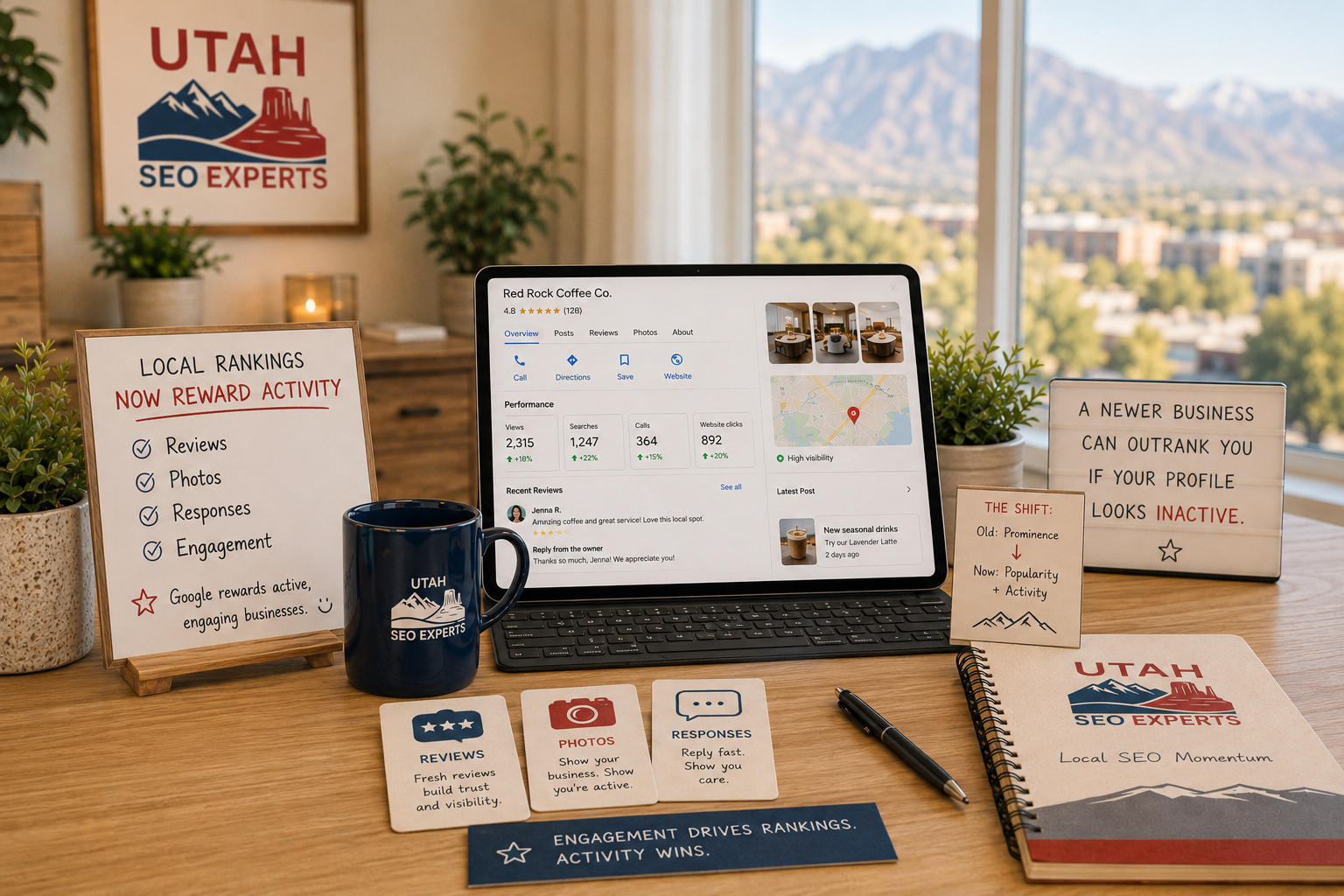
Google Business Profile performance can report metrics such as:
- Searches
- Views
- Calls or call clicks
- Website clicks
- Direction requests
- Messages when available
- Bookings
- Menu interactions
- Other customer actions
Review Google Business Profile performance data, but do not evaluate success from profile views alone.
Track business outcomes, including:
- Qualified calls
- Appointment requests
- Form submissions
- Reservations
- Store visits
- Direction requests
- Online orders
- Estimates
- Sales
- Revenue by lead source
Add UTM parameters to appropriate website and appointment links so profile traffic can be identified more clearly in analytics.
Local rankings also vary based on the searcher’s location. A business may rank well near its office and poorly several miles away.
When local visibility is important, evaluate rankings across the real service area rather than checking one search from one device.
A Practical Maintenance Schedule
There is no magic posting or editing frequency that guarantees rankings.
Use a schedule that keeps information accurate and gives customers current information.
Ongoing
- Respond to legitimate reviews
- Monitor suggested edits
- Correct inaccurate information
- Update unexpected closures
- Watch for ownership or verification notices
Monthly
- Review profile performance
- Check primary information
- Review services and products
- Add useful recent photos
- Publish meaningful updates when available
- Verify appointment and website links
- Compare calls, bookings and leads
Quarterly
- Review primary and secondary categories
- Check major directory information
- Review competitor changes
- Evaluate local rankings across the market
- Update outdated website content
- Check location and service pages
- Review review-acquisition processes
- Confirm owner and manager access
Annually
- Conduct a full profile and local SEO audit
- Review all locations
- Update important photographs
- Review business descriptions
- Confirm licensing and professional information
- Evaluate website structure
- Review local link and authority opportunities
Local SEO Is Different in Every Utah Market
A local strategy should account for the actual market rather than applying one statewide template.
Salt Lake City contains dense competition, distinct neighborhoods, surrounding municipalities and businesses targeting the entire Wasatch Front. Companies competing there may need a coordinated combination of map visibility, organic rankings, neighborhood relevance and strong website authority. Learn more about our approach to SEO in Salt Lake City.
St. George and Washington County operate differently. Searches frequently overlap between St. George, Washington, Santa Clara, Ivins, Hurricane and surrounding Southern Utah communities. Population growth, tourism, retirees, new construction and expanding regional competitors all affect the search environment. See our strategy for St. George SEO.
In both regions, adding city names to a profile is not a substitute for genuine local presence, useful location content, customer reviews, links, authority and a business people actually trust.
Google Business Profile Optimization Checklist
Before considering the profile complete, verify the following:
- The correct business controls the primary owner account.
- The business is eligible for a profile.
- The profile type is correct.
- The business name matches real-world branding.
- The address or service area is accurate.
- The map pin is correctly positioned.
- The primary category represents the core business.
- Secondary categories are relevant and limited.
- Phone and website information are correct.
- Hours and special hours are current.
- The description is helpful and natural.
- Services are complete.
- Products, menus or category-specific features are current.
- Appointment and ordering links work.
- Photos accurately represent the business.
- Reviews are requested ethically.
- Reviews are answered professionally.
- Duplicate profiles have been addressed.
- Important directory information is consistent.
- Website pages support the services and locations being targeted.
- Conversion tracking is configured.
- Performance is reviewed against calls, bookings and revenue.
Frequently Asked Questions
Is a Google Business Profile free?
Yes. Eligible businesses can create or claim a Google Business Profile without paying Google for the listing.
Is a Google Business Profile more important than a website?
For some local searches, the Business Profile may be the first asset a customer sees. However, the profile and website perform different roles. The profile creates immediate visibility, while the website provides deeper information, authority, service coverage and conversion opportunities. Most competitive local businesses need both.
Can I use my home address?
A legitimate service-area business may use its home as the underlying business location, but it should hide the address when customers are not served there.
A home address should not be publicly displayed merely to create a map pin.
Can I use a virtual office?
A mailing address where the business does not operate is generally not eligible. Coworking and shared-office locations must meet Google’s requirements, including signage, customer access and staffing by the business.
Should service-area businesses hide their addresses?
Yes, when they do not serve customers at the address. The public profile can display the service area instead.
Does adding more service areas improve rankings?
Adding a service area tells customers where the company operates. It does not create proximity or guarantee rankings in every selected city.
How many categories should I use?
Use the most specific accurate primary category and only the additional categories needed to represent other important parts of the business. Google recommends using as few categories as possible to describe the core business.
Do Google Posts improve rankings?
Google presents Posts as a way to share updates, offers, events and information with customers. Google does not state that posting at a specific frequency directly improves rankings.
Do photos improve rankings?
Photos make the profile more useful and attractive to customers. Google recommends adding relevant photos and videos, but it does not promise a direct ranking increase from uploading a certain number of images.
Can I add keywords to my business name?
Only when the wording is genuinely part of the real-world business name. Adding services or cities solely for rankings violates Google’s naming guidelines.
How often should I update my profile?
Update information whenever it changes. Review core information regularly, respond to reviews, add useful media and publish updates when the business has something meaningful to communicate.
Can one business have several profiles?
A business can generally have one profile for each qualifying real-world location. Each location must independently meet Google’s eligibility requirements.
Why does my ranking change depending on where I search?
Distance is one of Google’s principal local-ranking factors. Results can vary substantially based on the searcher’s location, the search wording, the device and the surrounding competition.
Can anyone guarantee first-place Google Maps rankings?
No. Google explicitly states that there is no way to request or pay for better organic local rankings. Ethical SEO professionals can improve the signals associated with relevance, authority, accuracy and trust, but they cannot guarantee a specific position.
The Final Takeaway
A Google Business Profile should accurately represent a real business, make it easy for customers to take action and connect to a larger local search strategy.
The businesses that perform best over time generally do not rely on one trick.
They build:
- A legitimate and complete profile
- A strong website
- Detailed service information
- A positive real-world reputation
- Ethical customer reviews
- Accurate business information
- Local and industry authority
- Clear conversion paths
- Consistent ongoing management
Optimize the profile for customers first. Make the business easy to understand, easy to verify, easy to contact and easy to trust.
Then support it with the website, content and authority required to compete in organic search, Google Maps and emerging AI search experiences.
For help connecting these pieces into one coordinated campaign, explore the complete SEO strategies offered by Utah SEO Experts.
About the Author
Brenan Gale is the founder of Utah SEO Experts and has worked directly in Utah SEO and digital marketing since 2009. His experience includes founding and growing a previous Utah SEO agency, selling that company in 2018 and later building Utah SEO Experts as a senior-led team serving businesses across Northern and Southern Utah.
Brenan and the Utah SEO Experts team work directly with local businesses on Google Business Profile strategy, local SEO, website architecture, content, technical optimization, authority development and AI search visibility.
Last reviewed: July 16, 2026
Editorial note: This guide combines official Google Business Profile documentation with practical observations from managing local search campaigns. Recommendations identified as conversion or customer-experience practices should not be interpreted as guaranteed ranking factors. Google’s systems, profile features and policies can change, so businesses should confirm current requirements through official Google documentation.